

Subscriptions, App Features, and In-Car Ads: What Happens When a Used Car Changes Owners?
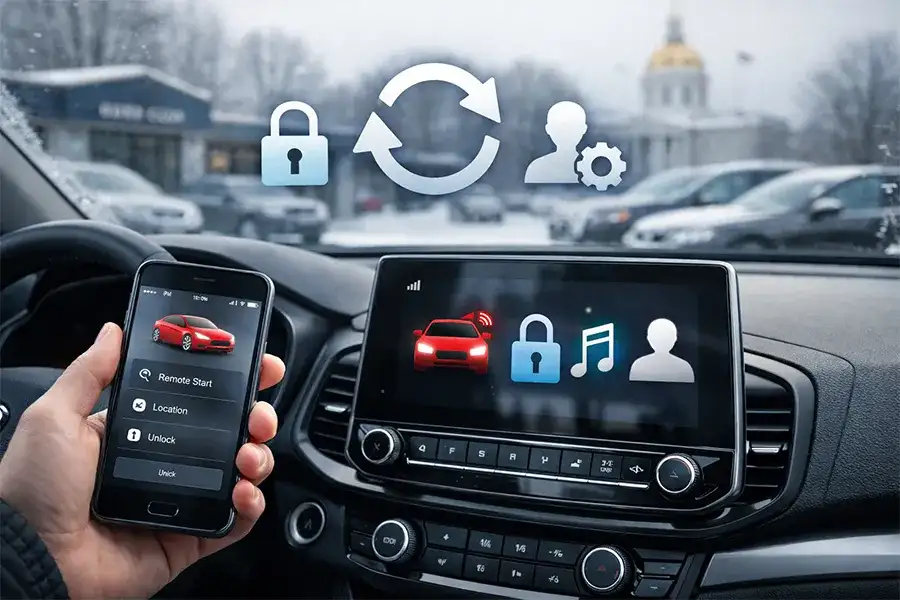
Ever hop into a “new-to-you” used car, pull out of the lot, and realize it still knows somebody else’s phone, home address, and favorite radio stations? In 2026, that’s not weird—it’s normal.
Today’s vehicles come with apps, connected services, driver profiles, paid features, and (sometimes) promotional pop-ups. The good news: most of it can be cleaned up in a few minutes if you know what to check.
One important note up front: the exact menus, transfer steps, and subscription rules vary by make/model/year/trim. When in doubt, use the owner’s manual or the brand’s support page.
Below is a plain-English guide (plus a delivery-day reset checklist) from Nucar Pre-Owned Superstore Gorham—formerly Carlson’s Motor Sales—so your used car feels like your car from the first start.
Cars are “devices” now
A modern vehicle can store or sync:
- Phone contacts and call history
- Navigation favorites and recent destinations
- Garage door opener codes
- Driver profiles tied to an email address
- Streaming logins (Spotify, etc.)
- Wi-Fi passwords
- Paid services like remote start, hotspot, and other connected features
- Notifications and promotional messages (depending on brand/settings)¹
If any of that is still linked to a previous owner, the experience ranges from annoying (random pop-ups) to inconvenient (you can’t activate features) to concerning (privacy).
The 3 buckets to understand before you reset anything
1) The vehicle itself (infotainment + onboard settings)
This is the touchscreen, radio, Bluetooth, and driver profile menus. A factory reset (or “erase personal data”) is often the cleanest fix.
2) The phone app account (ownership + permissions)
Many brands require the vehicle to be removed from a previous account before you can fully activate app-based services (remote commands, vehicle status, etc.).³⁴⁵⁶
3) Subscriptions (what transfers vs. what doesn’t)
Some features are included for a period, some are trials, and some are paid monthly. Automakers are putting more emphasis on digital services and subscriptions, so it’s worth checking what’s active on your specific vehicle.²
What to clear on delivery day
Here’s the “do this before you get too far down Glen Rd” checklist.
Step 1: Delete phones + wipe Bluetooth history
- Remove all paired devices
- Clear downloaded contacts (if the vehicle offers that option)
Step 2: Clear navigation history and “Home/Work”
- Delete recent destinations
- Remove saved favorites
- Update “Home” (you’d be surprised how often this gets left behind)
Step 3: Sign out of apps (and remove payment info)
- Log out of streaming services
- Remove any saved payment methods (if applicable)
Step 4: Check for extra driver profiles
- Delete any existing profiles you don’t recognize
- Set up your own profile(s)
Step 5: Reset garage door opener and “learned” settings
- Clear HomeLink/garage settings
- Reset valet/guest codes if your vehicle has them
Step 6: Confirm the vehicle is disconnected from the prior owner’s app
This is the most common “why isn’t my app working?” issue.
Brand examples:
- Ford provides steps for removing a vehicle from the owner’s account.³
- Chevrolet/GM explains adding/removing a vehicle—and notes that some removals may require a support rep (often OnStar) to fully disassociate the vehicle.⁴
- Tesla recommends a factory reset before transfer/removal steps.⁵
- Toyota provides change-of-ownership guidance that includes removing the vehicle profile.⁶
(You don’t need to memorize brand rules—just know this step exists.)
Step 7: Do a factory reset if available
A factory reset is the best “fresh start” because it’s designed to wipe personal data stored in the vehicle. Some brands recommend doing this before (or during) ownership transfer.⁵
Tip: If you’re not sure which reset option you’re looking at—ask. This is a two-minute question that can save hours later.
Subscriptions and trials: how to avoid surprise charges
A used car might have:
- A free trial still running (remote features, hotspot, music apps)
- A subscription that ended last month (and features now seem “broken”)
- A subscription that’s still tied to a previous account
What to do:
- Ask what connected features are active right now
- Ask what it costs after any trial
- Confirm how activation works (some require app pairing, email verification, or a support call)
In-car ads and pop-ups: what’s real, what’s a glitch, what you can control
There’s been real industry chatter about promotional messages appearing on infotainment screens. Some incidents have been described as glitches; the bigger point is that connected vehicles can deliver messages the same way your phone can.¹
Reassurance: most drivers will never see anything like this day-to-day—but it’s smart to know where the notification and privacy toggles live.
What often helps:
- Turning off marketing notifications (where available)
- Managing privacy/communication preferences in the app
- Keeping software updated (some fixes roll out via updates)
If a pop-up seems unsafe or blocks critical controls, treat it like any other distraction: pull over, document it, and get help.
Trading in or selling your vehicle? Do this first
If you’re selling privately or trading in, here’s the fast version:
- Remove your phone(s) from Bluetooth
- Sign out of all apps
- Clear navigation favorites and history
- Clear garage door opener codes
- Delete driver profiles
- Remove the vehicle from your manufacturer app account³⁴⁵⁶
- Perform a factory reset (if offered)⁵
That’s the clean handoff—and it protects both you and the next owner.
How we help at Nucar Pre-Owned Superstore Gorham
When you buy with us, you shouldn’t have to become an IT department to enjoy your vehicle.
At Nucar Pre-Owned Superstore Gorham, our team can help you:
- Spot common “leftover data” issues during delivery
- Get the basics set up (Bluetooth, profiles, app pairing)
- Point you to the correct manufacturer steps for account/ownership transfer
- Keep your vehicle running right with maintenance and repairs from our onsite service team
Everyone loves a Nucar!
Quick FAQs
Do all used cars need a factory reset?
Not always, but it’s often the simplest way to make sure personal data is wiped—especially if the car had multiple profiles or app logins.
Can a previous owner still “see” the car?
If the vehicle is still linked to a prior owner’s connected-services account, some remote features may not work for you until it’s removed or transferred.³⁴⁵⁶
What if I can’t activate the app features?
It may still be linked to a previous owner, or the vehicle needs a verification step. If you’re stuck, stop by—this is a common fix.
Sources
- WIRED – “Ads Popped Up on Drivers’ Screens. There May Be More on the Way.” https://www.wired.com/story/ads-popped-up-on-drivers-screens-there-may-be-more-on-the-way/
- General Motors Investor Relations – materials discussing digital services/subscriptions. https://investor.gm.com/
- Ford Support – “How do I delete a vehicle from my Ford account?” https://www.ford.com/support/how-tos/ford-app/manage-my-ford-app-account/how-do-i-delete-a-vehicle-from-my-ford-account/
- Chevrolet Support – “How to Add or Remove a Vehicle.” https://www.chevrolet.com/support/account/profile-account-security/add-remove-vehicle
- Tesla Owners Manual (Model 3) – “Manage Vehicle Ownership” (includes factory reset guidance). https://www.tesla.com/ownersmanual/model3/en_us/GUID-F561C667-5BF1-4779-9C06-17F33C14E95A.html
- Toyota – “Change of Ownership” (PDF). https://www.toyota.com/content/dam/toyotaowners/pdfs/Change_of_Ownership.pdf
0 comment(s) so far on Subscriptions, App Features, and In-Car Ads: What Happens When a Used Car Changes Owners?